
Score 200 learners. Rank them instantly. Zero paperwork.
Koticha is the offline companion for primary school teachers. Type a roll number, confirm the name, enter the score. Koticha totals, ranks, and exports the final performance sheet for you.
Every marked exam script means another row to total, another name to re-rank by hand. Koticha does the arithmetic.
One loop, repeated 200 times, without ever slowing down.
Koticha is built around the single cycle a teacher repeats for every learner, every subject, every term. Everything else in the app supports this loop.
- 01
Pick class, term, subject
Standard 5 · Term 1 · English. Three taps and you're at the score entry screen. No menus to dig through.
- 02
Type the roll number
Read it straight off the exam script. The numeric keypad opens automatically. No searching a scrollable list.
- 03
Confirm the name
Koticha shows the learner's name and sex before you can enter a score, so you always know whose paper you're holding.
- 04
Enter the score, save
One tap saves it. Both fields clear instantly, the keyboard never closes, so you're already typing the next number.
- 05
Totals and ranking, live
Every save recalculates the class total and position automatically. Ties share a rank, exactly as on a printed sheet.
Six constraints, not aspirations
Every design decision in Koticha answers to the real environment it runs in: entry-level hardware, patchy electricity, and a teacher with one free thumb.
Speed is the product
200 students x 8 subjects x 3 terms. Every second of friction multiplies. Score entry targets 8 seconds a student.
Offline is the baseline
No loaders, no sync spinners, no network permission at all. Fully functional from a cold start with no internet.
One-thumb operation
Built for a teacher holding a stack of exam papers in one hand. Every tap is reachable on a 5.5" screen.
Error prevention, not recovery
The student's name shows before a score can be saved. It's cheaper to prevent a mistake than to fix one across 200 rankings.
No training required
No onboarding carousel, no tooltips. If a screen needs an explanation, it needs a redesign instead.
Built for the hardware teachers own
Tested on a 2GB-RAM Android device, not a flagship. Light, quick to open, kind to old batteries.
Everything a term of assessment actually needs
Nothing else. No dashboards to learn, no cloud accounts to configure, just the tools that get you from marked scripts to a finished report.
Fully offline
No network permission, no sync spinners. Everything runs on the device, from a rural classroom or a district office alike.
Live ranking
Positions recalculate after every save. Ties share a rank and the next position skips, exactly like a hand-written sheet.
Excel and PDF export
One tap produces a ranked performance sheet with every subject, ready to print or share over WhatsApp.
Class & student setup
Add a class, list your learners by roll number, name, and sex, or bulk-import them from an Excel file at the start of term.
Subjects per class
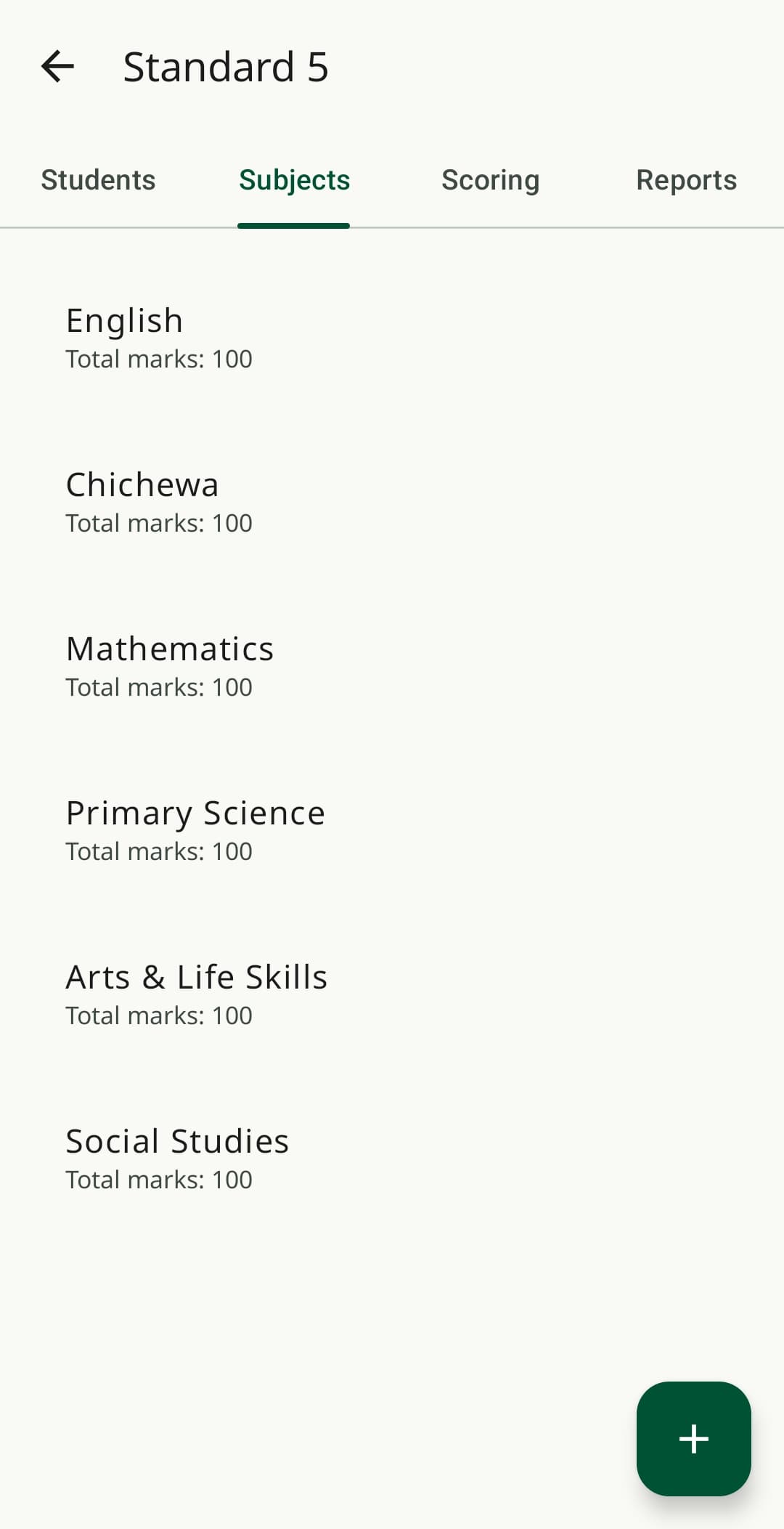
Add any subject with a name and a max score, defaulting to 100. Different classes can carry entirely different subject lists.
Built to prevent mistakes
The learner's name is shown before a score can be saved, so entering the wrong roll number is caught immediately.
Real screens. No mockups.
Flat navigation, no hidden menus, every screen reachable in a few taps. Shown here exactly as they appear on-device, in both light and dark mode.
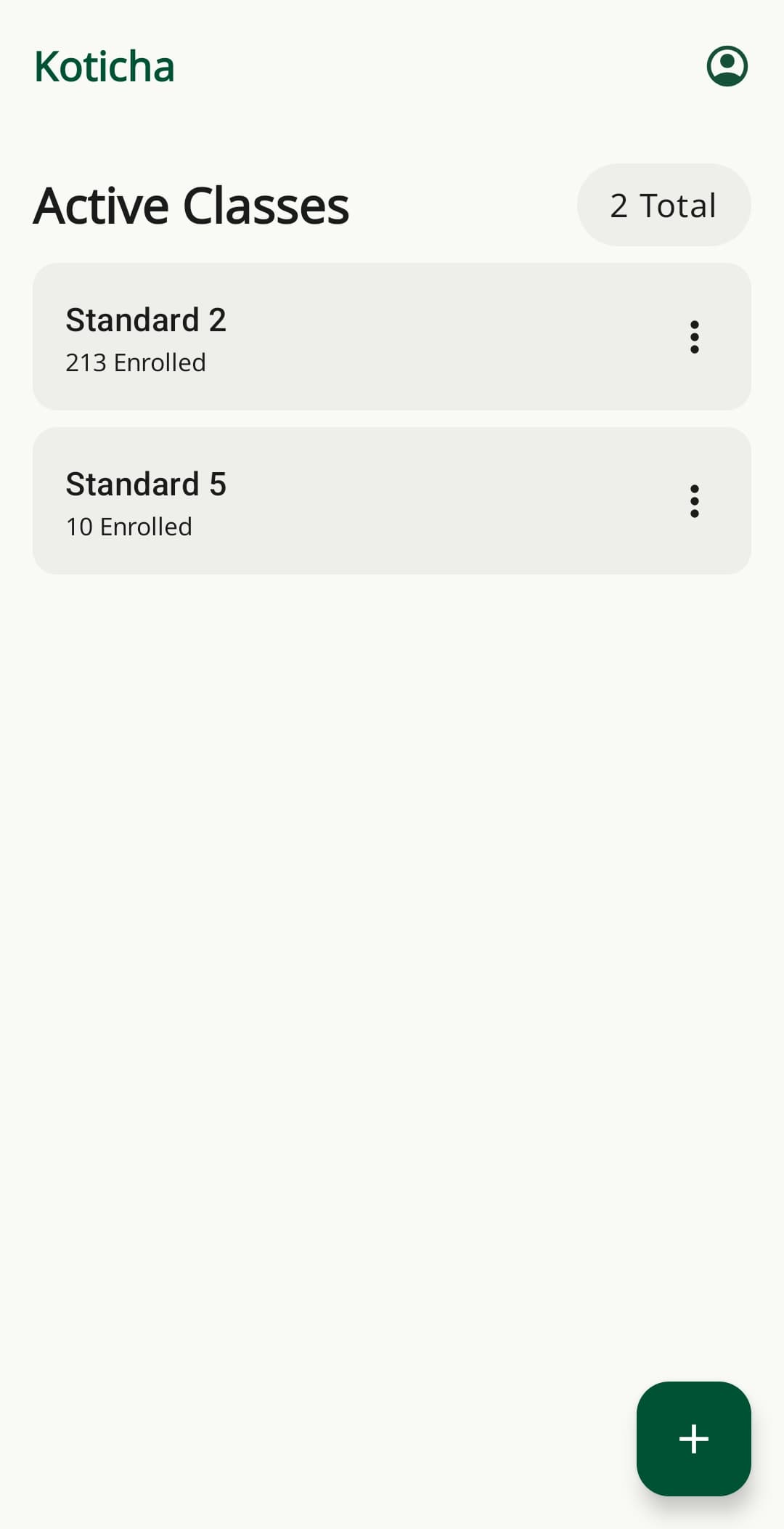
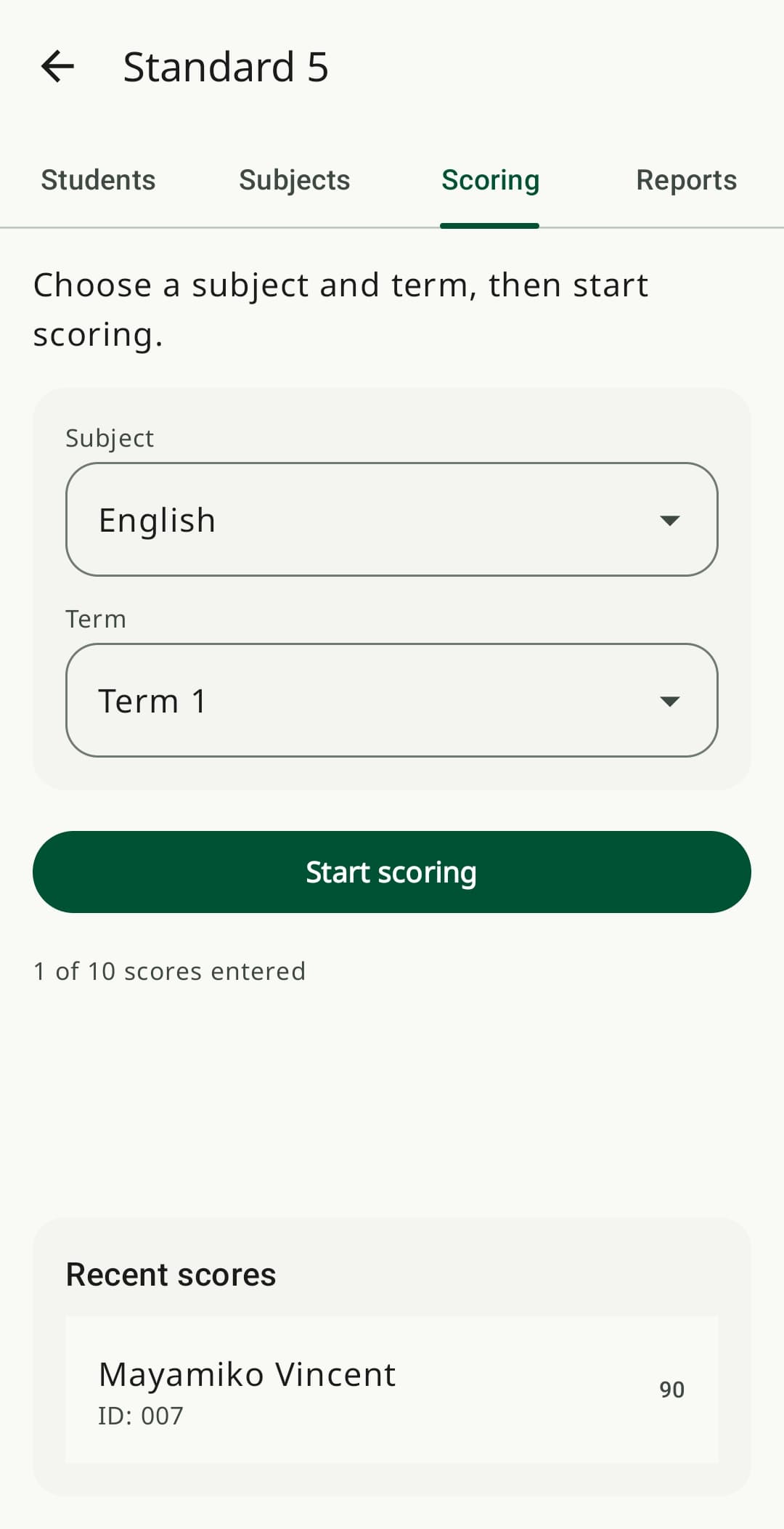
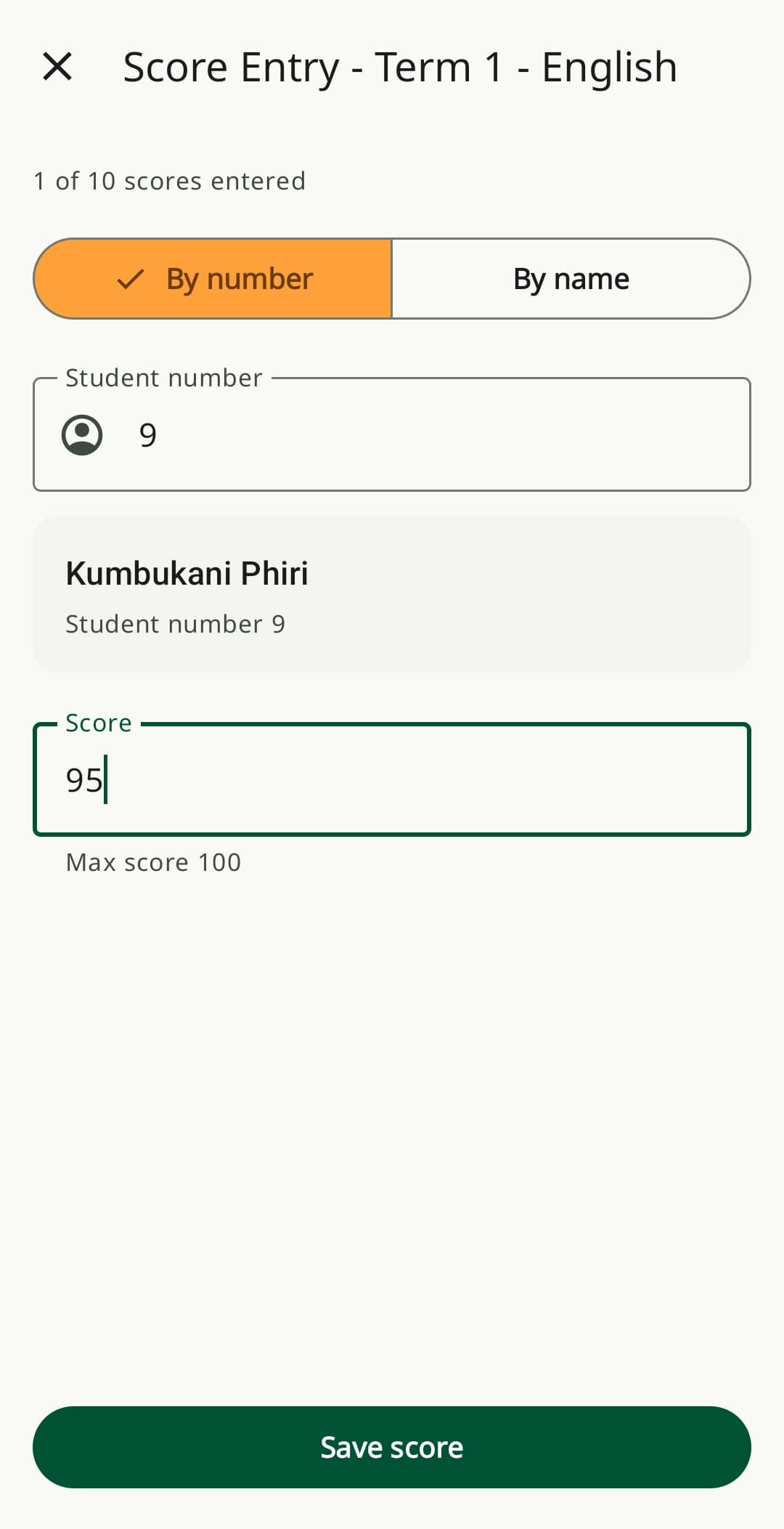
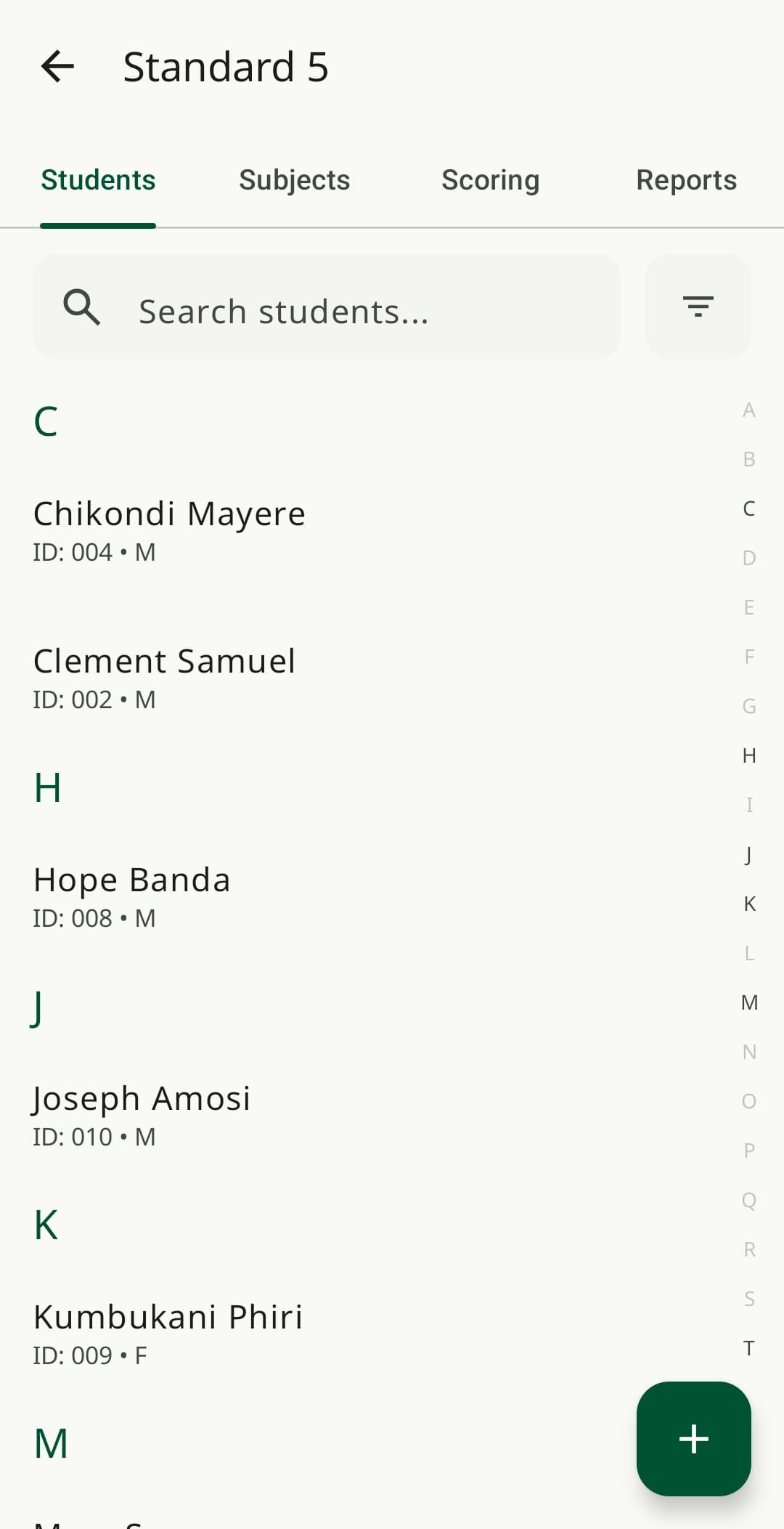
25 teachers used it for real end-of-year results.
Not a staged usability session, teachers compiled actual results that fed into real learner promotion decisions.
Not a spreadsheet app. A pocket instrument.
Most teachers using Koticha have never opened a spreadsheet. The app is shaped around the physical reality of marking scripts at a desk or on a bench between lessons, not around what a data-entry tool usually looks like.
One thumb, one hand
The other hand is holding a stack of exam scripts. Every tap target is reachable one-handed.
Entry-level hardware
Tested for 2GB-RAM devices and Android 8.0. Cold start under 3 seconds, no heavy animations to wait through.
No training, no manual
If a screen needs a tooltip to explain it, it's redesigned. Everything maps to a paper workflow teachers already know.
Intermittent power and signal
Koticha never waits on a network request. Entry, totals, and ranking all run instantly, fully on-device.
Your next term of report cards starts with one download.
Koticha is feature-complete and in its final stretch before public release. Write in to be notified the moment it's live on Google Play, or to join the next round of testing.
koticha@psybytelabs.devFree to install when it launches. No account, no subscription, no data plan required to use it. Android 8.0+ · 2GB RAM minimum · Works fully offline.